# Deleting your account (https://docs.hireway.dev/docs/account/deleting-your-account)
Deleting your account removes it and everything in it for good. There is no grace period and no way to restore it, so download a copy of your data first if you might want it later.
## Before you start [#before-you-start]
[Export your data](/docs/account/exporting-your-data) from **Settings → Account → Your data**. The zip holds your resumes, cover letters and job applications as JSON files.
## Delete your account [#delete-your-account]
Select your name at the bottom of the sidebar, then **Settings**. On the **Account** page, scroll to **Your data**.
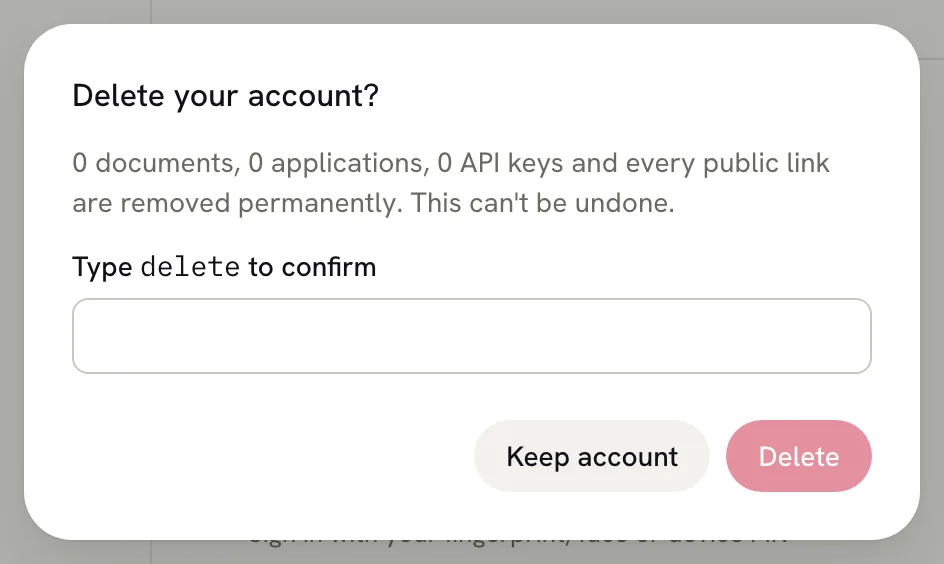
Next to **Delete account**, select **Delete…**. The **Delete your account?** dialog lists how many documents,
applications and API keys will go.
Type `delete` into the box. The **Delete** button stays unavailable until the word matches. To back out, select **Keep
account**.
Hireway deletes your account, signs you out and takes you to the home page.
 ## What gets deleted [#what-gets-deleted]
- Every resume and cover letter, including those in the trash, and their version history.
- Every job application.
- Every public resume link. Anyone who opens one sees a page that no longer exists.
- Your uploaded files, such as photos.
- Your assistant conversations, API keys, saved AI providers, passkeys and linked social accounts.
This can't be undone from the app. To use Hireway again, [create a new account](/docs/account/creating-an-account) and
[import](/docs/documents/importing-resumes) resumes you saved as JSON or PDF.
## Related guides [#related-guides]
- [Exporting your data](/docs/account/exporting-your-data): download everything before you delete.
- [Exporting your resume](/docs/sharing/exporting-your-resume): keep a PDF or JSON of a single resume.
## What gets deleted [#what-gets-deleted]
- Every resume and cover letter, including those in the trash, and their version history.
- Every job application.
- Every public resume link. Anyone who opens one sees a page that no longer exists.
- Your uploaded files, such as photos.
- Your assistant conversations, API keys, saved AI providers, passkeys and linked social accounts.
This can't be undone from the app. To use Hireway again, [create a new account](/docs/account/creating-an-account) and
[import](/docs/documents/importing-resumes) resumes you saved as JSON or PDF.
## Related guides [#related-guides]
- [Exporting your data](/docs/account/exporting-your-data): download everything before you delete.
- [Exporting your resume](/docs/sharing/exporting-your-resume): keep a PDF or JSON of a single resume.