# Organizing documents with tags (https://docs.hireway.dev/docs/documents/organizing-with-tags)
Tags are short labels you add to documents, such as the kind of role, the industry, or whether you've sent it. Once any document has a tag, Documents shows a row of tag chips you can use as filters.
## Add or remove tags [#add-or-remove-tags]
On Documents, open the document's **⋯** menu and choose **Tags…**.
Type in the **Add a keyword...** field and press Enter or type a comma , to add it. Add as many as you like.
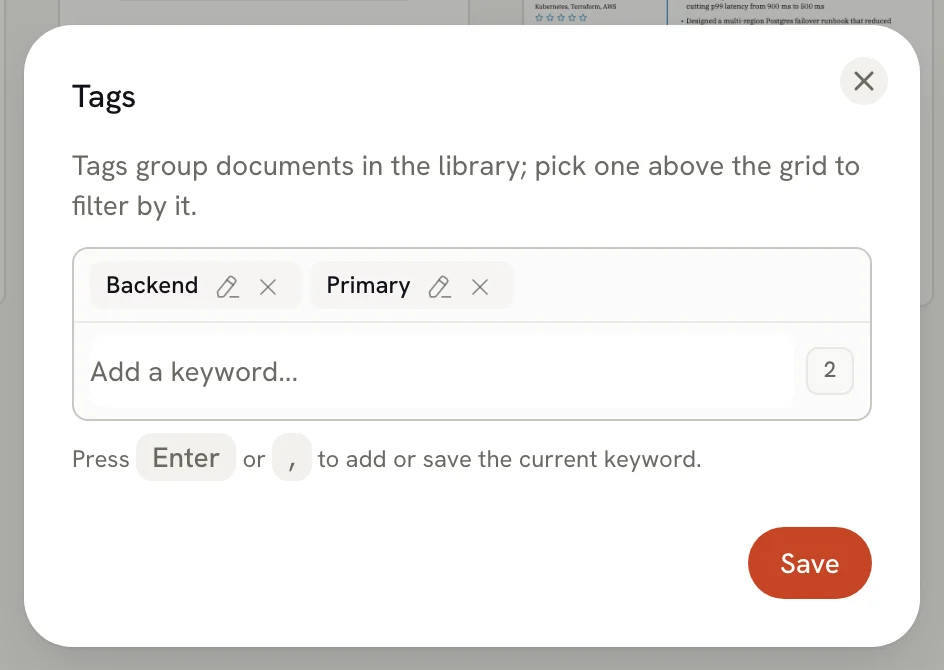 Select the pencil next to a tag to change it, or the **×** to remove it. You can drag tags to reorder them.
Select **Save**. Closing the dialog without saving discards your changes.
Tags are unavailable while a document is locked. Unlock it first (see [Managing your documents](/docs/documents/managing-documents#lock-a-document)).
Duplicating a resume, or copying it for a job, keeps its tags, so a family of versions stays grouped.
## Filter by tag [#filter-by-tag]
Select a chip above your documents, for example **#unity**, to show only documents with that tag. The chip turns green while it's active. Select more chips to narrow the list further: a document must have every selected tag to appear. Select an active chip again to turn it off.
Select the pencil next to a tag to change it, or the **×** to remove it. You can drag tags to reorder them.
Select **Save**. Closing the dialog without saving discards your changes.
Tags are unavailable while a document is locked. Unlock it first (see [Managing your documents](/docs/documents/managing-documents#lock-a-document)).
Duplicating a resume, or copying it for a job, keeps its tags, so a family of versions stays grouped.
## Filter by tag [#filter-by-tag]
Select a chip above your documents, for example **#unity**, to show only documents with that tag. The chip turns green while it's active. Select more chips to narrow the list further: a document must have every selected tag to appear. Select an active chip again to turn it off.
 Tag filters work together with the **All**, **Resumes** and **Letters** tabs and with search. The search field also matches tag names, so typing a tag finds its documents too.
## Ideas for tags [#ideas-for-tags]
- the kind of role: `frontend`, `product`, `teaching`;
- the stage: `draft`, `sent`;
- the market or language: `uk`, `german`;
- a version: `one-page`, `long`.
## Related guides [#related-guides]
- [Managing your documents](/docs/documents/managing-documents): search, sort, rename and duplicate.
- [Tracking job applications](/docs/applications/tracking-job-applications): follow each application from saved to closed.
Tag filters work together with the **All**, **Resumes** and **Letters** tabs and with search. The search field also matches tag names, so typing a tag finds its documents too.
## Ideas for tags [#ideas-for-tags]
- the kind of role: `frontend`, `product`, `teaching`;
- the stage: `draft`, `sent`;
- the market or language: `uk`, `german`;
- a version: `one-page`, `long`.
## Related guides [#related-guides]
- [Managing your documents](/docs/documents/managing-documents): search, sort, rename and duplicate.
- [Tracking job applications](/docs/applications/tracking-job-applications): follow each application from saved to closed.