# Introduction (https://docs.hireway.dev/docs)
Hireway is a job-search agent for engineers moving abroad. Its **Scout** reads the job boards and company career pages
you name every morning, keeps the roles that sponsor visas and fit your rules, and drafts honest applications that you
approve before anything is sent. It is free to use with your own AI key.
 ## What you can do with it [#what-you-can-do-with-it]
Set your rules once: countries, salary floor, seniority and deal-breakers. The Scout keeps only roles that match,
with the line from the posting that shows the visa evidence.
Drafts use only facts you have verified. Nothing is sent until you approve that specific application.
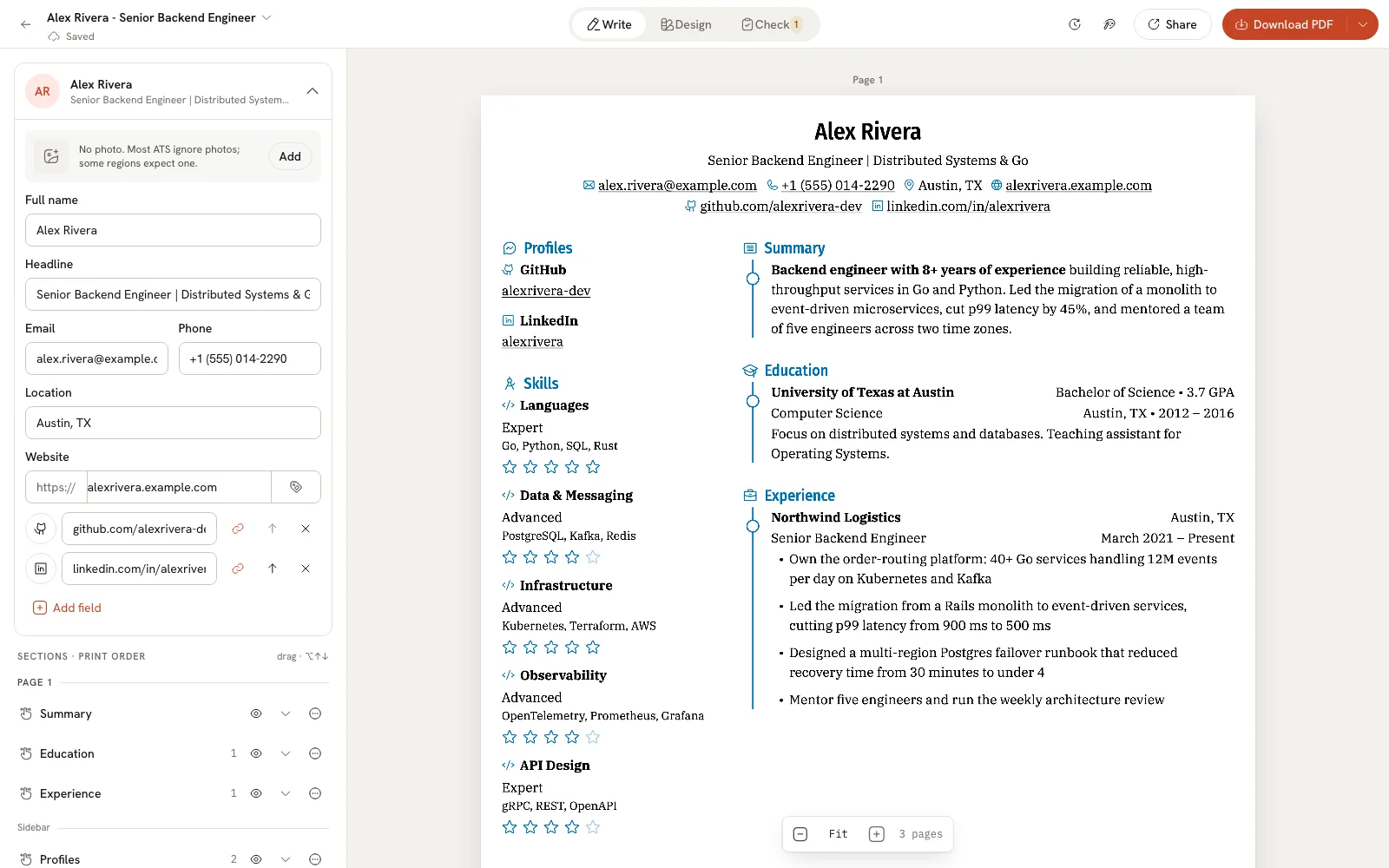
Keep every resume and letter in **Documents**. Start blank, from a sample, or by importing a PDF, Word file, JSON or
LinkedIn export. Pick from 17 templates and see the page update as you type.
**Check** mode points out issues on the lines they belong to and compares your resume with a job posting. The free
[ATS checker](/docs/checking/using-the-ats-checker) works without an account.
Follow each application from saved to offer in a list, board or calendar, and see what's working in Insights.
Connect OpenAI, Anthropic, Google Gemini, OpenRouter, Ollama or another compatible provider. The assistant proposes
edits you accept or reject one by one.
## Ways to use Hireway [#ways-to-use-hireway]
- **The hosted version at [hireway.dev](https://hireway.dev).** Create an account and start. This is the right choice
for most people.
- **Your own tools.** A REST API and an MCP server let scripts and AI agents manage your documents and applications.
- **Your own tools.** A REST API and an MCP server let scripts and AI agents manage your documents and applications.
## Your data [#your-data]
Your documents belong to you. You can download any document as JSON and import it back later, export everything in your
account from **Settings**, and delete your account at any time.
## Get started [#get-started]
Create an account, build a resume from a sample and download your first PDF in about ten minutes.
Rules, visa evidence and the approval step.
Connect scripts, AI clients and other tools to your account.
## Get help [#get-help]
Email [hello@hireway.dev](mailto:hello@hireway.dev) and include the page you were on and what you expected to happen.
## What you can do with it [#what-you-can-do-with-it]
Set your rules once: countries, salary floor, seniority and deal-breakers. The Scout keeps only roles that match,
with the line from the posting that shows the visa evidence.
Drafts use only facts you have verified. Nothing is sent until you approve that specific application.
Keep every resume and letter in **Documents**. Start blank, from a sample, or by importing a PDF, Word file, JSON or
LinkedIn export. Pick from 17 templates and see the page update as you type.
**Check** mode points out issues on the lines they belong to and compares your resume with a job posting. The free
[ATS checker](/docs/checking/using-the-ats-checker) works without an account.
Follow each application from saved to offer in a list, board or calendar, and see what's working in Insights.
Connect OpenAI, Anthropic, Google Gemini, OpenRouter, Ollama or another compatible provider. The assistant proposes
edits you accept or reject one by one.
## Ways to use Hireway [#ways-to-use-hireway]
- **The hosted version at [hireway.dev](https://hireway.dev).** Create an account and start. This is the right choice
for most people.
- **Your own tools.** A REST API and an MCP server let scripts and AI agents manage your documents and applications.
- **Your own tools.** A REST API and an MCP server let scripts and AI agents manage your documents and applications.
## Your data [#your-data]
Your documents belong to you. You can download any document as JSON and import it back later, export everything in your
account from **Settings**, and delete your account at any time.
## Get started [#get-started]
Create an account, build a resume from a sample and download your first PDF in about ten minutes.
Rules, visa evidence and the approval step.
Connect scripts, AI clients and other tools to your account.
## Get help [#get-help]
Email [hello@hireway.dev](mailto:hello@hireway.dev) and include the page you were on and what you expected to happen.