

Checking any resume PDF with the ATS checker
Find out whether applicant tracking software can read your resume PDF. Free, no account needed, and the file never leaves your browser.
The ATS checker answers one question: can software read your resume? It opens a PDF the way an applicant tracking system (ATS) does, pulls out the text, and shows you what survived and what didn't. It works with a PDF made in any tool, not only Hireway.
The check runs entirely in your browser. The file isn't uploaded or stored, and you don't need an account.
Before you start
- Have your resume as a PDF, up to 25 MB. Password-protected PDFs can't be checked; save an unprotected copy first.
- Optionally, copy the text of a job posting you're applying for.
Check your PDF
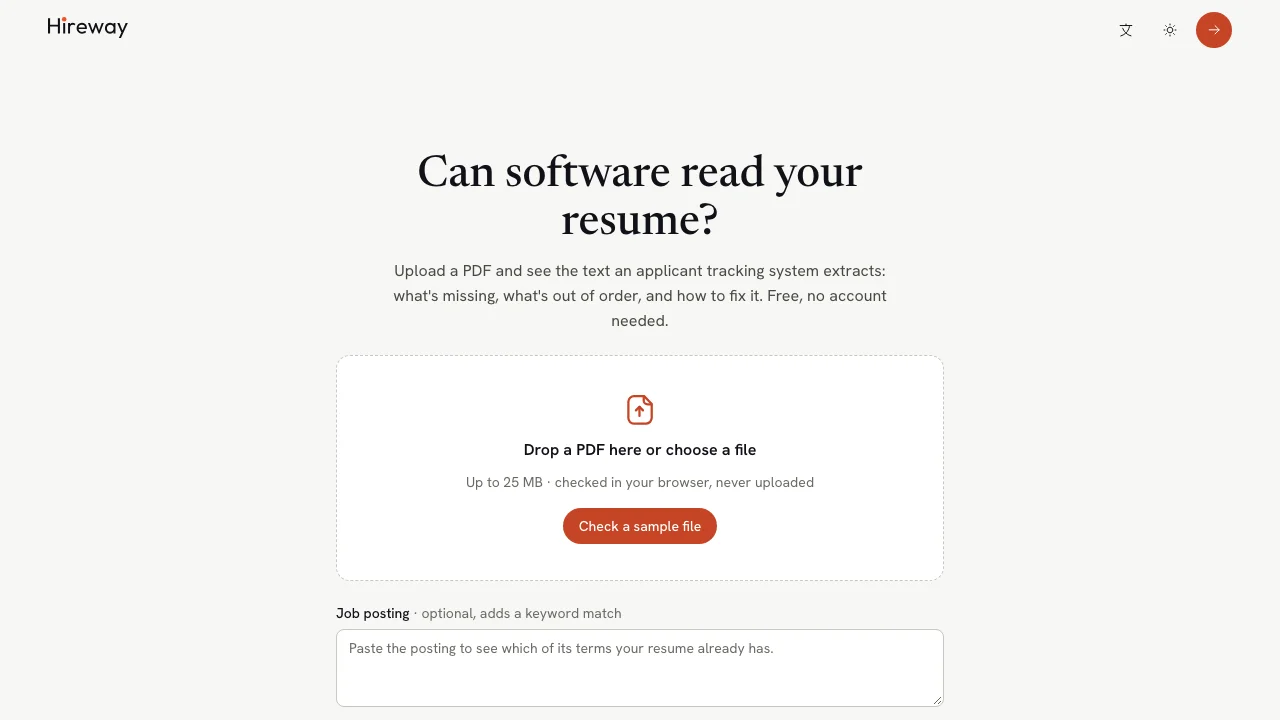
Open the checker
Go to hireway.dev/ats-checker. If you host Hireway yourself, add /ats-checker to your own address.
Paste a job posting (optional)
Paste the posting into Job posting. The report then shows which of its terms your resume already has. Do this before you add the file.
Add your PDF
Drag the file onto the box, or select Drop a PDF here or choose a file to pick it. To see how the checker works first, select Check a sample file.
Wait for the three steps
The checker shows its progress: Opening the file, Reading the text, then Checking layout and content. This usually takes a few seconds.
Read the report
The report has the score and issues on the left and your file on the right.
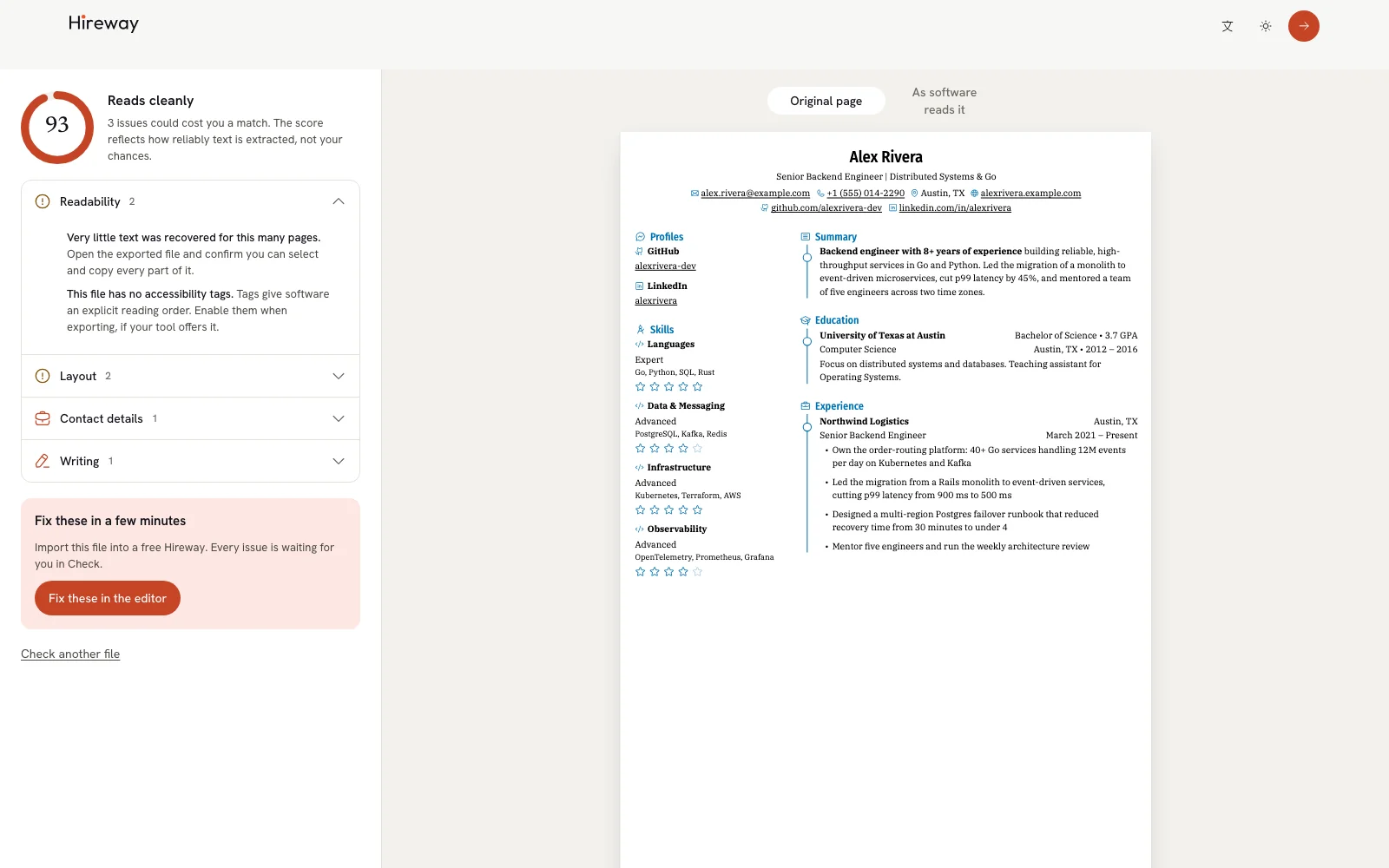
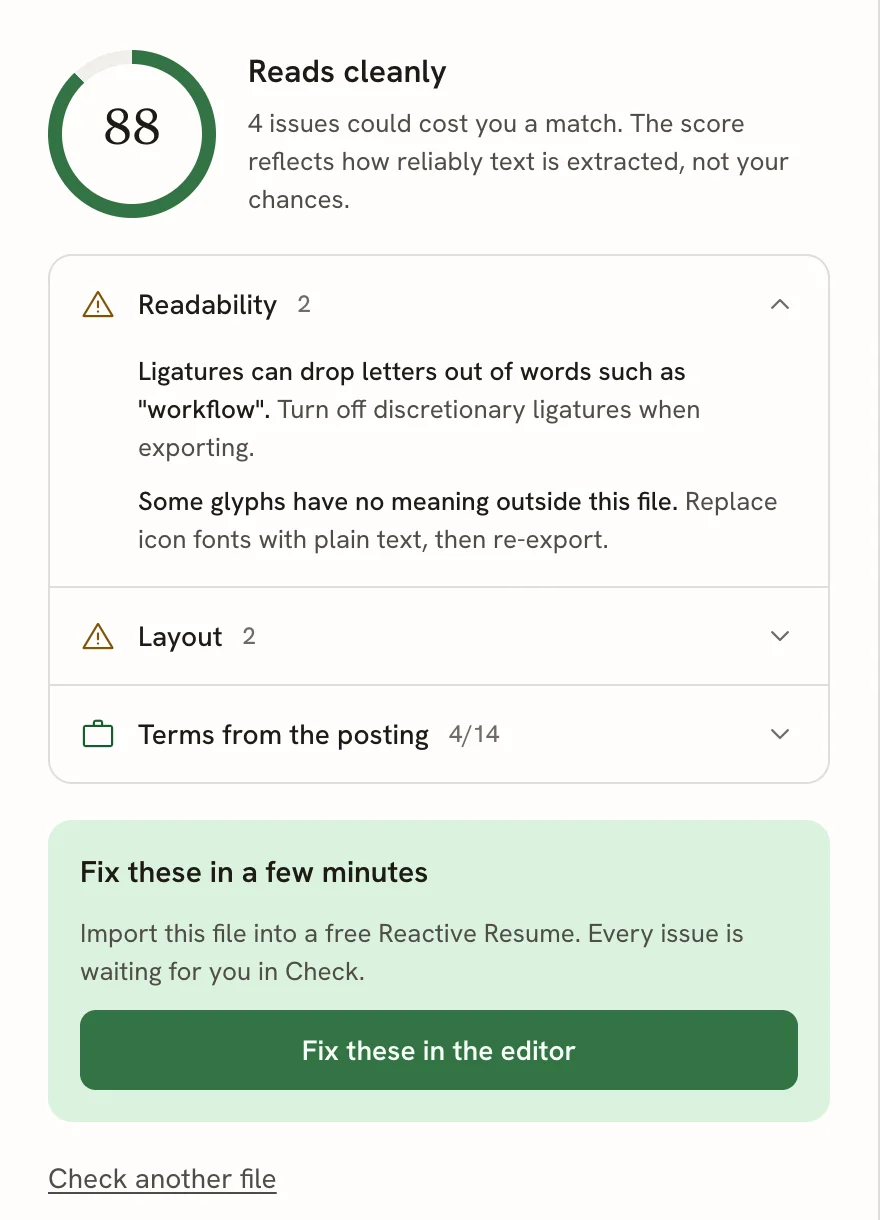
The score. A number from 0 to 100 with a verdict: Reads cleanly (80 and above), Mostly readable (50 to 79) or Hard for software to read (below 50). It combines five categories, and a serious problem (a blocker) caps it: a PDF with no real text can't score well because its margins are tidy. The score reflects how reliably text comes out of the file, not your chances of getting the job.
The issue rows. Each category with something to fix gets a row, worst first. Open a row to see each problem in bold, followed by what to do about it. If you pasted a posting, the last row, Terms from the posting, counts the terms found (for example 4/14) and lists the missing ones.
The five scored categories are:
| Category | What it checks |
|---|---|
| Readability | Whether software can recover the words at all: a real text layer rather than a picture, fonts that map to letters, no hidden text, encryption or form fields in the way, and a sensible file and page size. |
| Layout | Whether the page geometry keeps the reading order: columns, tables, lines stored out of order, tight spacing, very small text and narrow margins. |
| Sections | Whether the resume is split into sections software expects. |
| Contact details | Whether a recruiter can reach you: name, email, phone and links survive intact. |
| Dates | Whether your timeline can be reconstructed from the dates. |
Writing gives advice for the person reading your resume, such as numbers that show impact, first-person pronouns and long bullets. These tips appear in the results alongside the scored findings and never affect the score.
Only the first 30 pages of a long file are checked; the report says so when that happens.
See your file as software reads it
Above your file, switch between two views:
- Original page shows the PDF as a person sees it.
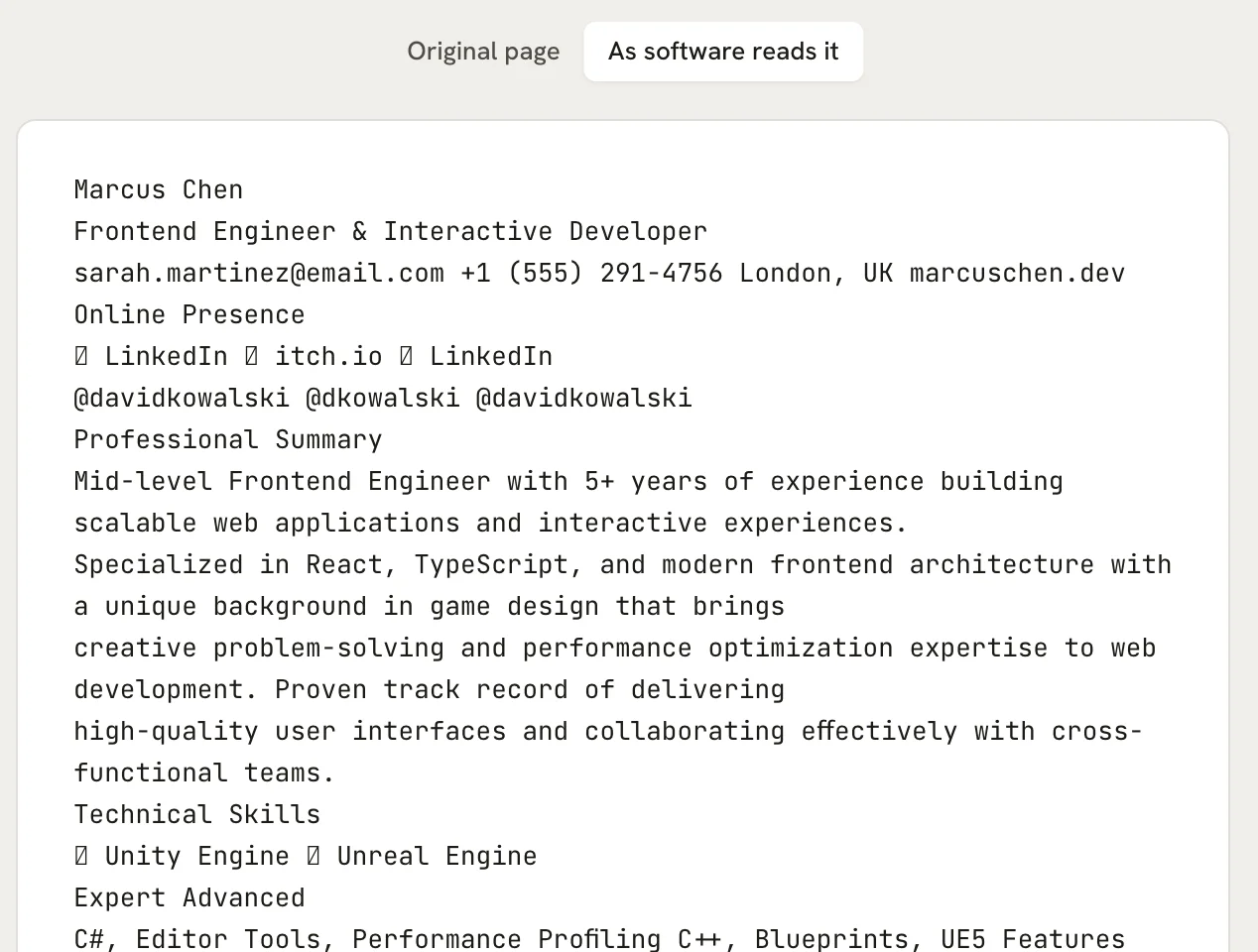
- As software reads it shows the plain text a parser extracts, in the order it comes out.
Compare the two. Look for a sidebar landing in the middle of your experience, contact details split across lines, or icons turning into empty boxes.
Fix the issues in Hireway
Select Fix these in the editor to import the same file into a free Hireway account. The file is read in your browser, the same way the check read it, and the new resume opens in Check with the issues waiting for you.
- If you're signed in, the import starts straight away.
- If you aren't, you're taken to create an account first. The file waits in your browser in the meantime and is imported as soon as you're back, then removed from the browser.
To start over with a different file, select Check another file.
No tool can tell you whether an application will be rejected. That depends on the employer's system, the screening questions and the person reading. The checker measures one thing: how faithfully software can extract your file's text.
Related guides
Checking your resume before you apply
Use Check mode to see how well software reads your resume, fix issues pinned to their lines, match a job posting and review your wording.
Writing a cover letter
Create a cover letter as its own document, link it to a resume and a job application, match your resume's design, and download it.